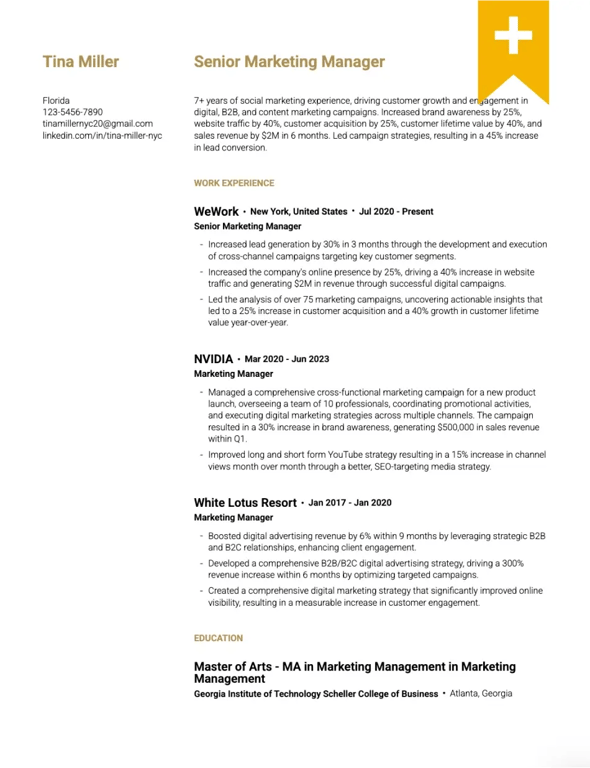
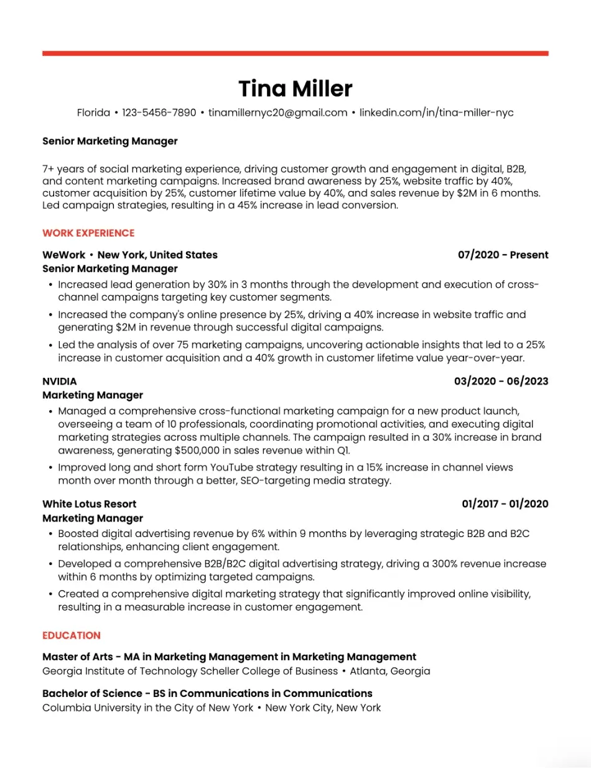
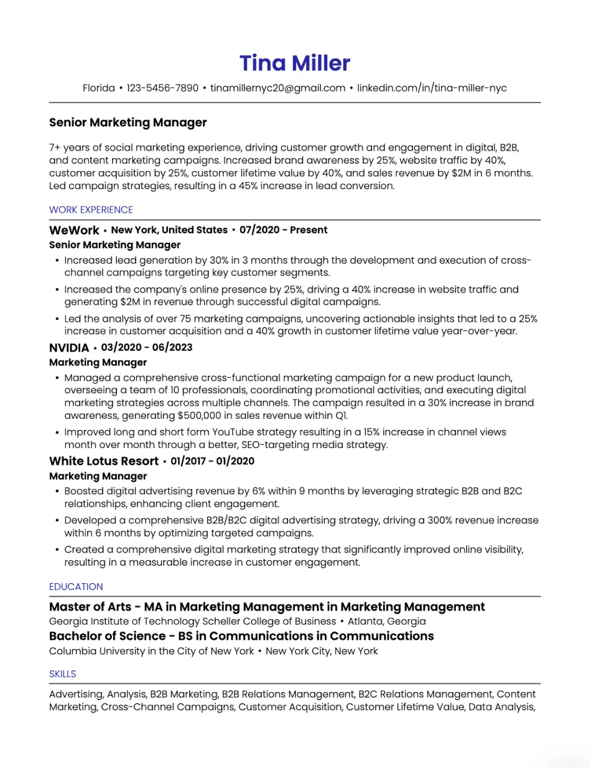
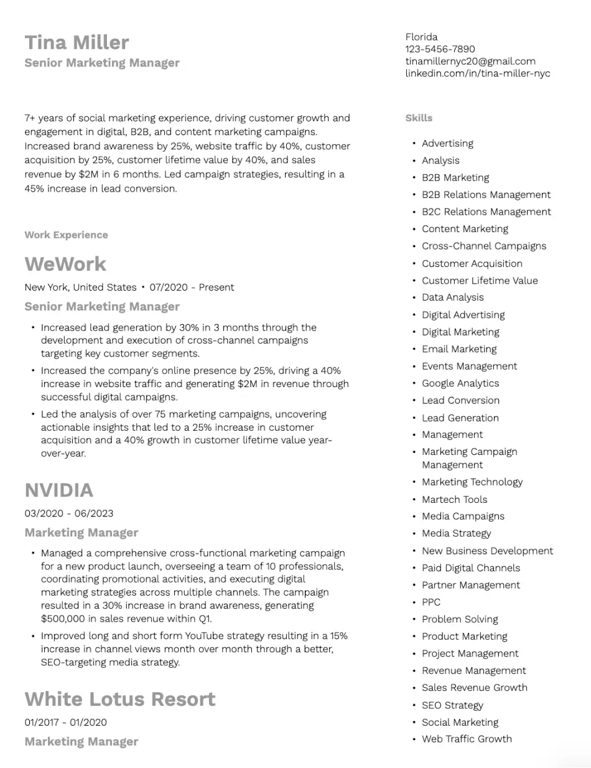
Resume
Resume Format

Resume Format: The Complete Guide to Formatting Your Resume [2026]

Resume format is one of the most important choices you'll make when putting your experience on paper. It shapes how your qualifications are understood and how quickly your strengths stand out to recruiters who spend just 7 seconds scanning each resume.

This guide covers everything you need to know about choosing the right resume format, structuring your sections, and avoiding common formatting mistakes that get resumes rejected.

What is a Resume Format?

A resume format refers to how you organize and present your professional information on the page. It determines the order of sections, how your experience is displayed, and the overall visual structure of your document.

The format you choose affects:

  • How easily recruiters can find key information
  • Whether applicant tracking systems (ATS) can parse your resume
  • How your career story comes across to hiring managers

Why Your Resume Format Matters

Your resume format creates the first impression before anyone reads a single word. A well-structured resume helps recruiters find what they need fast, while strong phrasing and optimization ensure your skills and achievements stand out.

According to Teal's resume best practices guide, the right format allows you to highlight the top 10% of your experience that's relevant to the role you're applying for—not everything you've ever done.

How Recruiters Review Resumes (The 7-Second Scan)

Recruiters don't read resumes—they scan them. In roughly 7 seconds, they're looking for:

  • Current job title and company
  • Relevant skills and keywords
  • Career progression
  • Education credentials

A clear format with proper organization ensures these elements jump off the page immediately.

The 3 Main Resume Formats Explained

There are three primary resume formats, each designed for different career situations. Understanding when to use each one is critical to presenting your qualifications effectively.

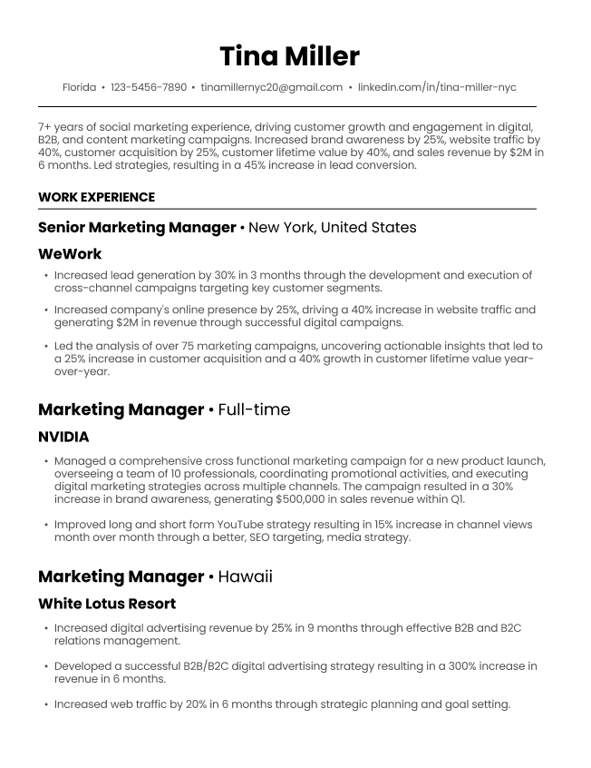
Chronological Resume Format

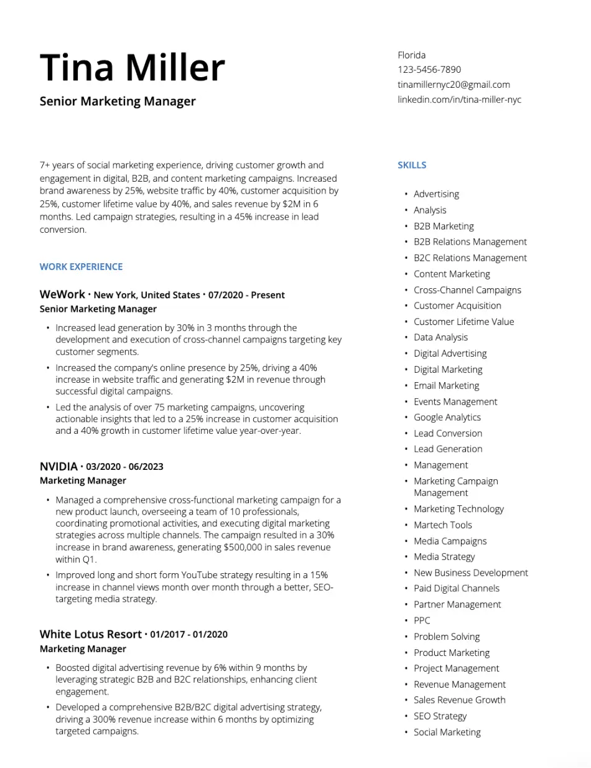
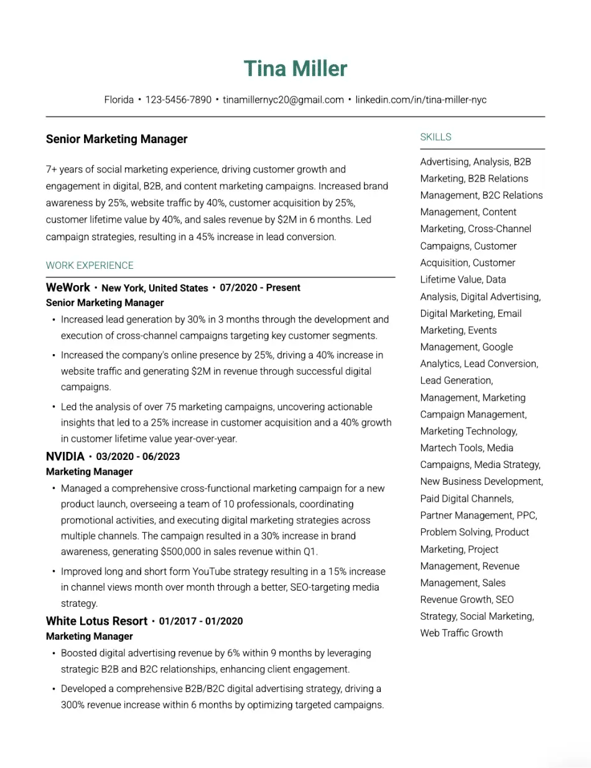
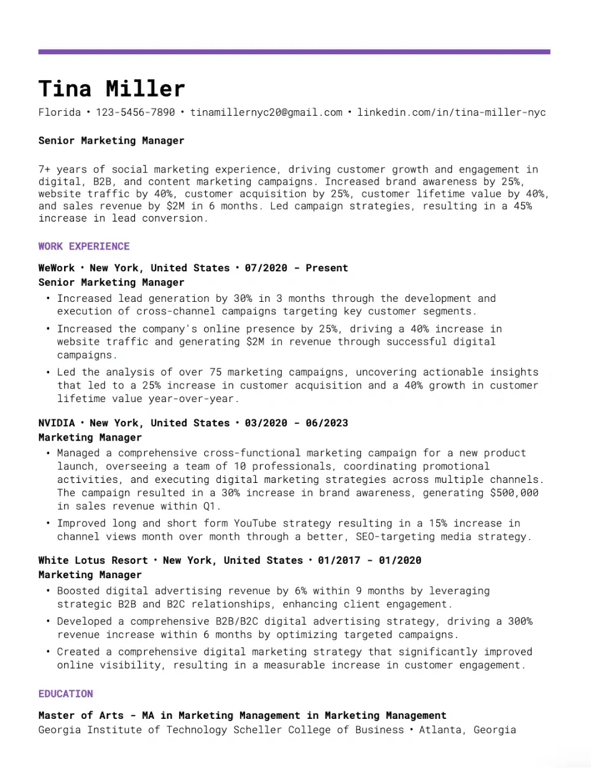
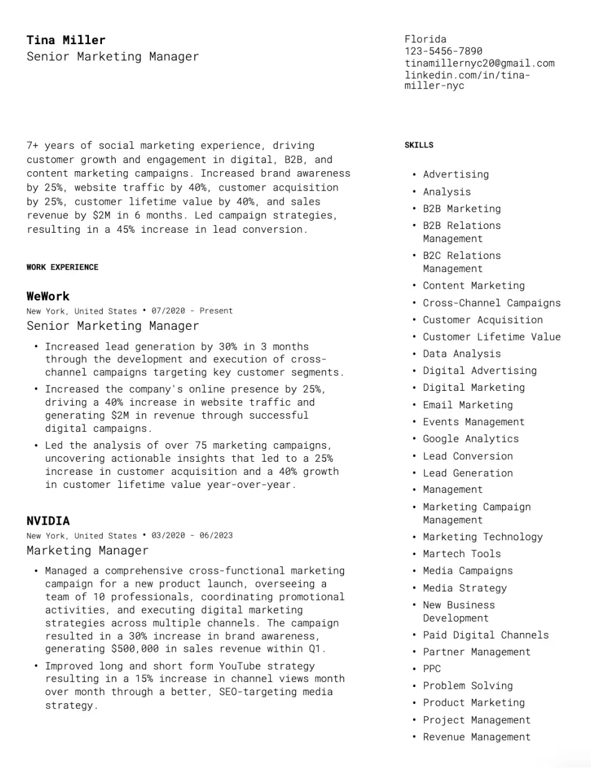
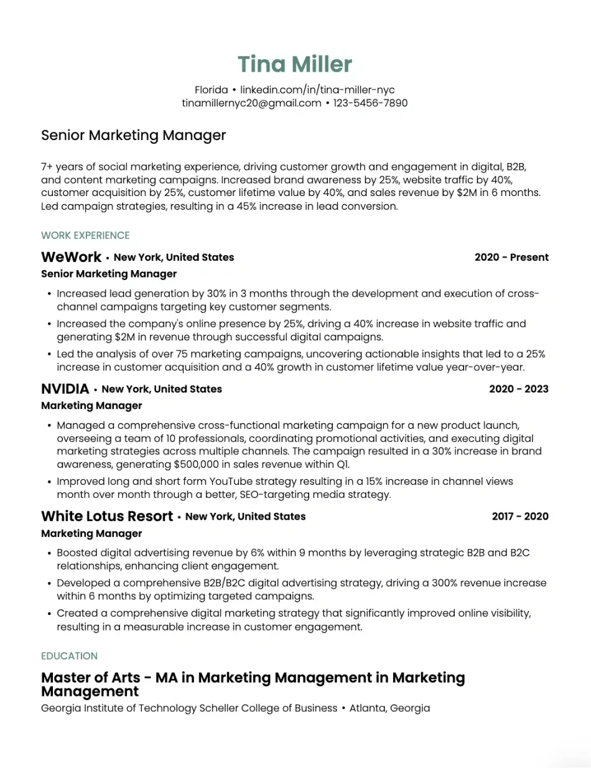
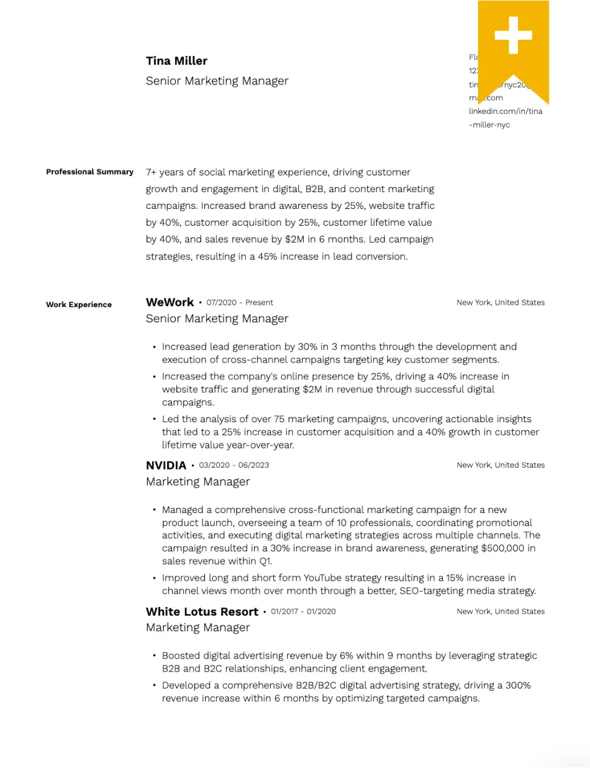
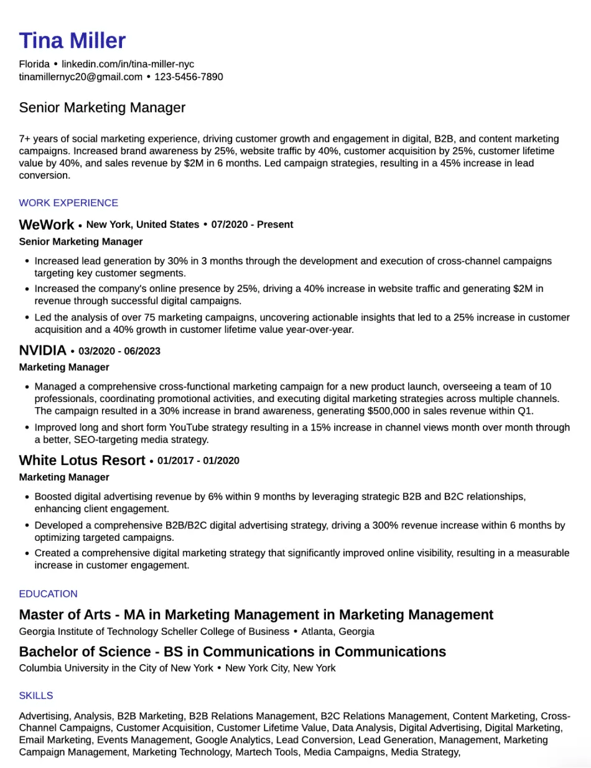
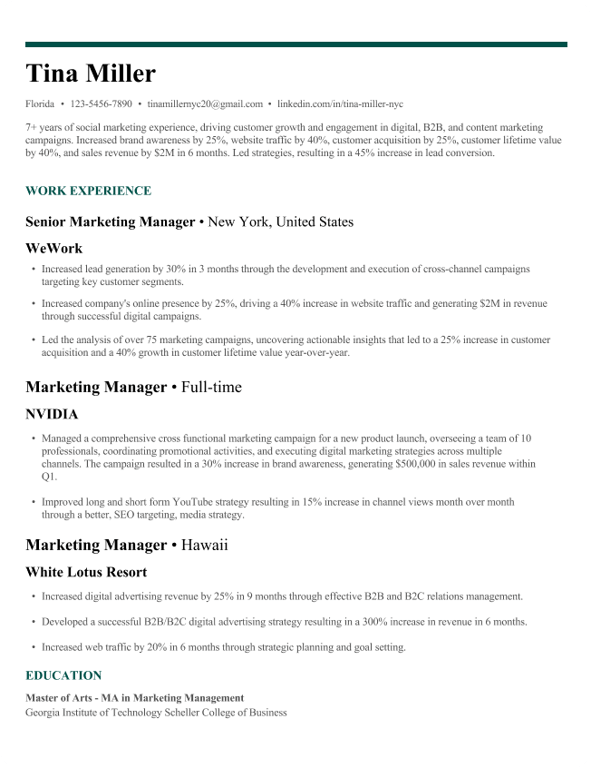
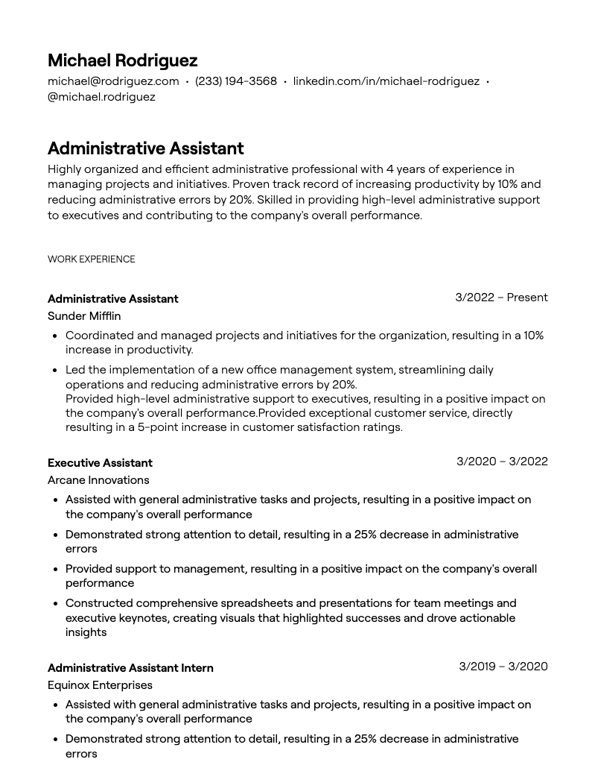
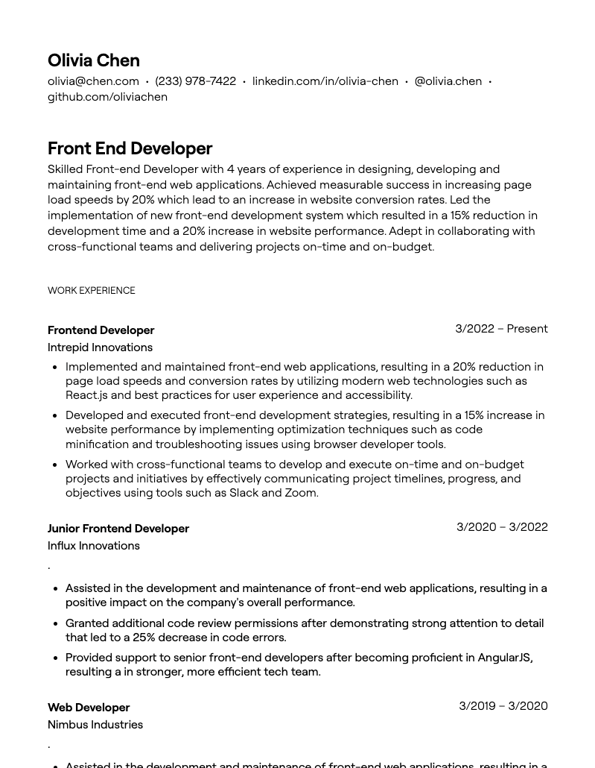
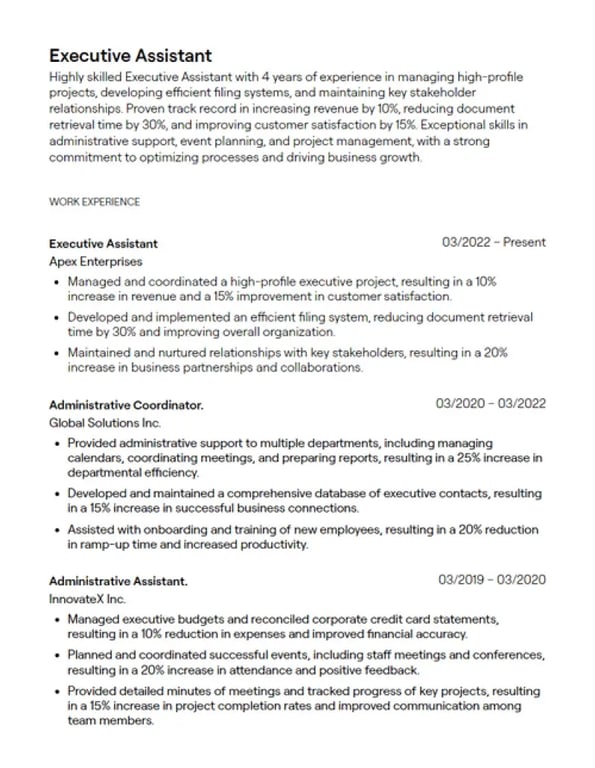
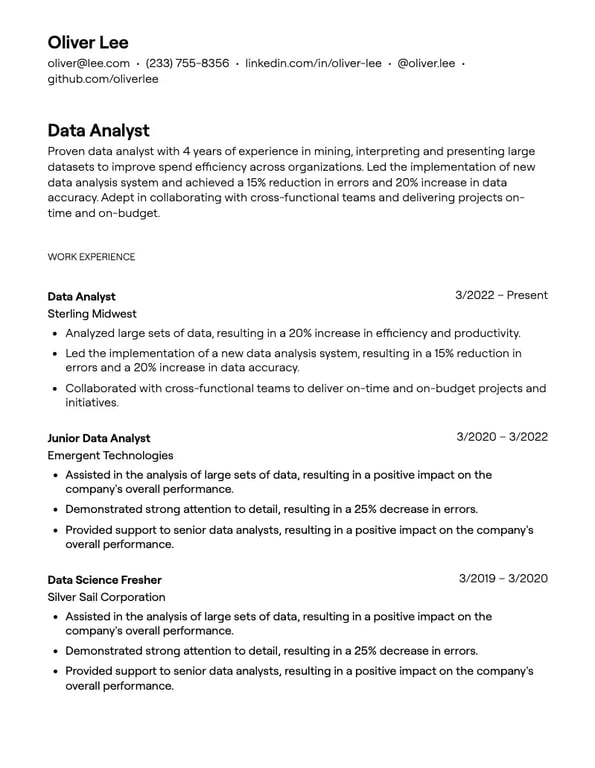
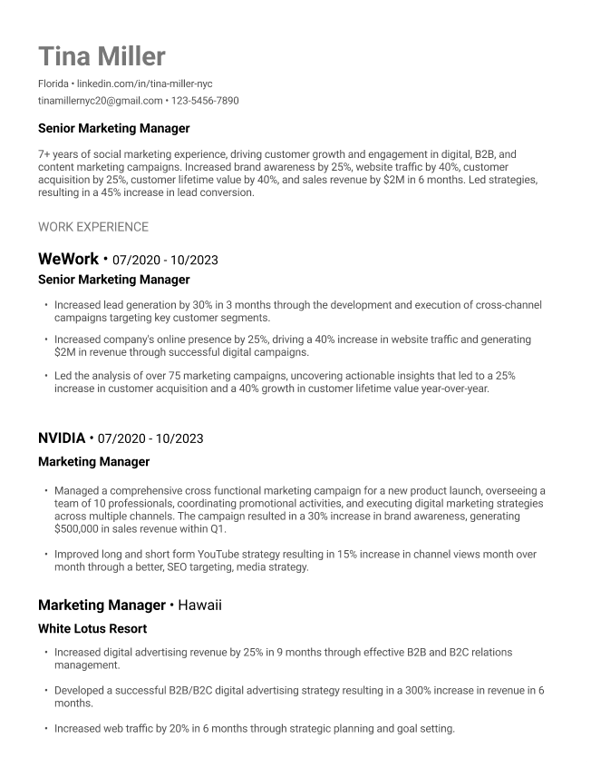
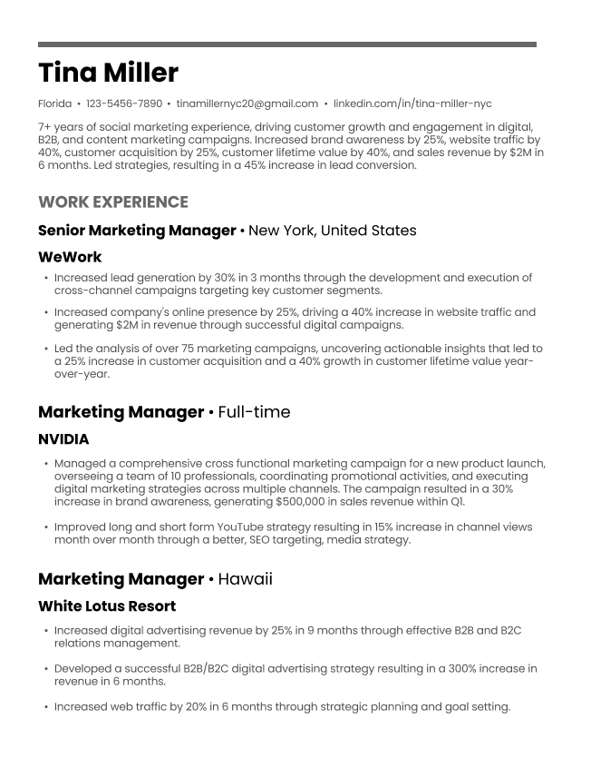
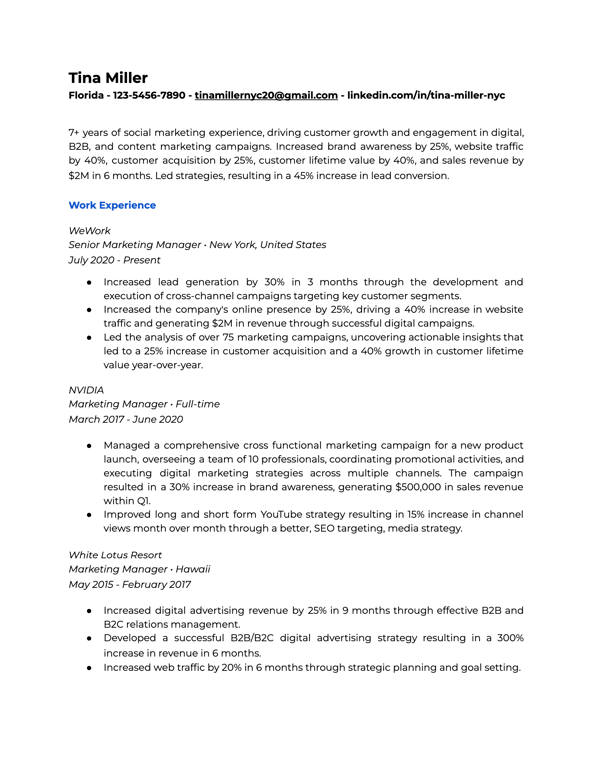
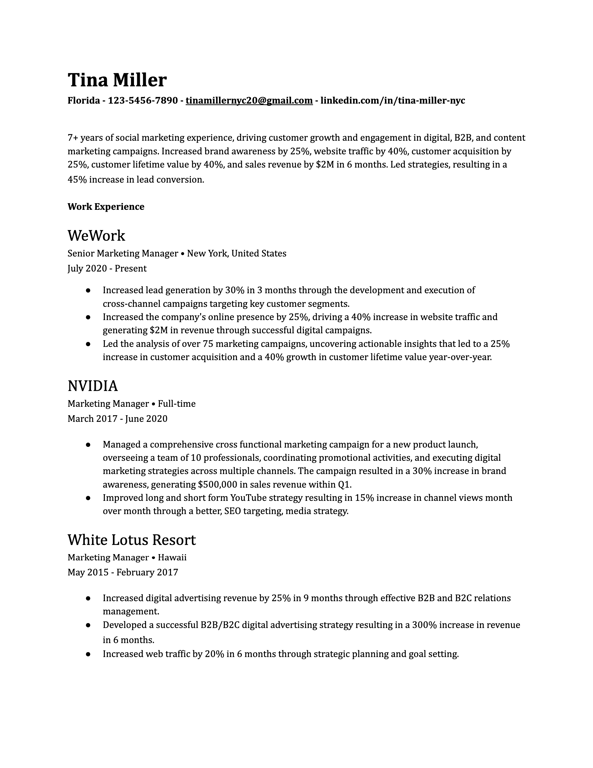
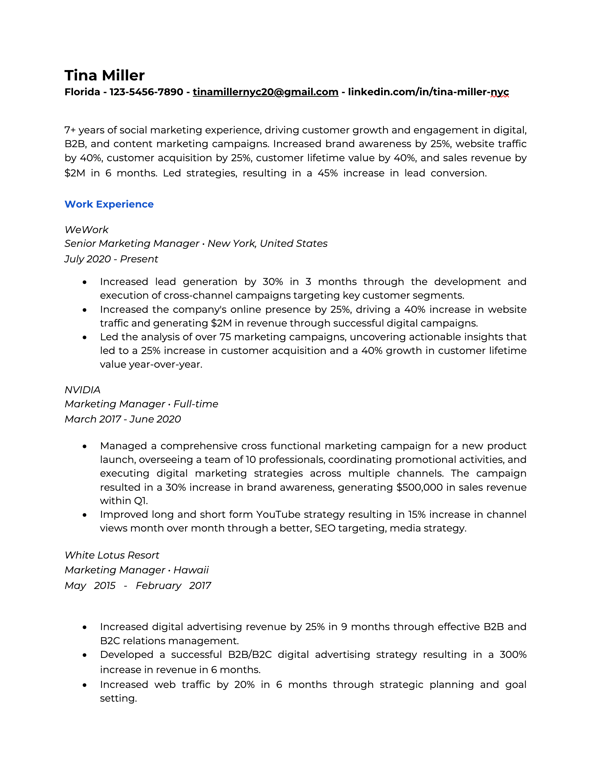
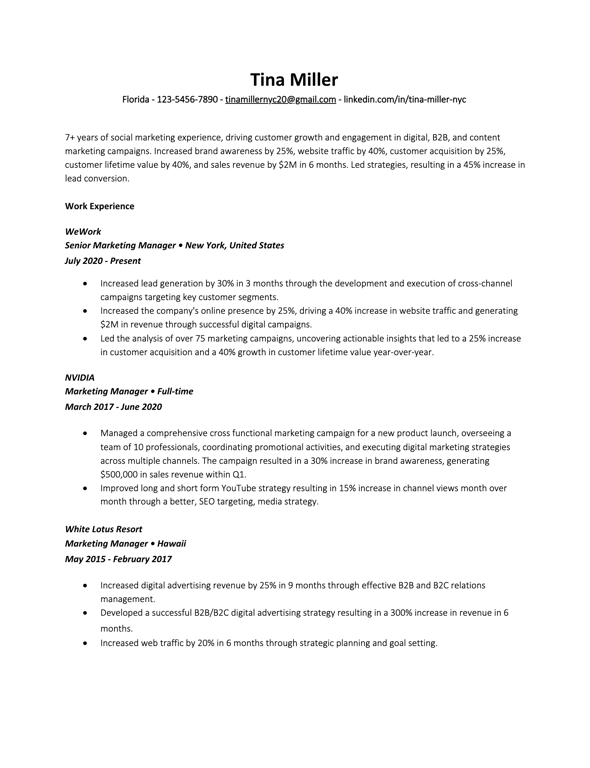
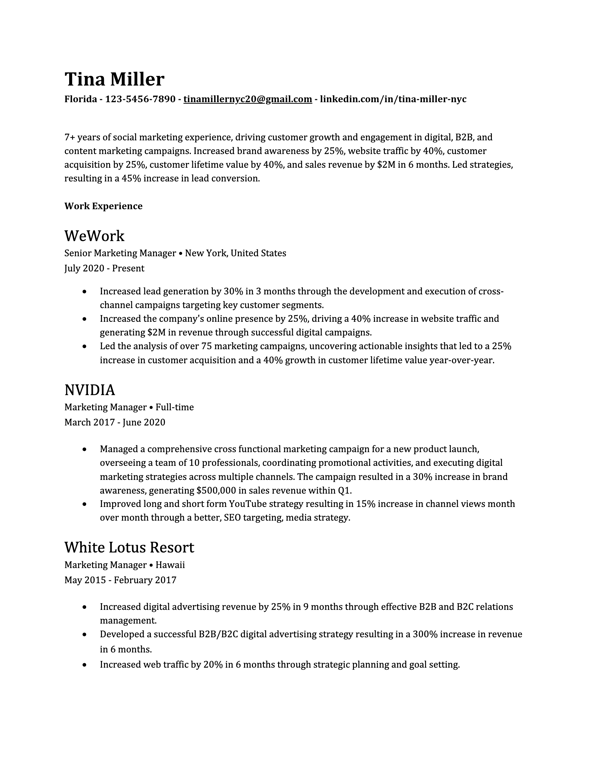
The chronological resume (also called reverse-chronological) is the most widely used format. It lists your work experience starting with your most recent position and working backward.

Best for:

  • Professionals with steady career progression
  • Job seekers staying in the same industry
  • Those with no significant employment gaps

Structure:

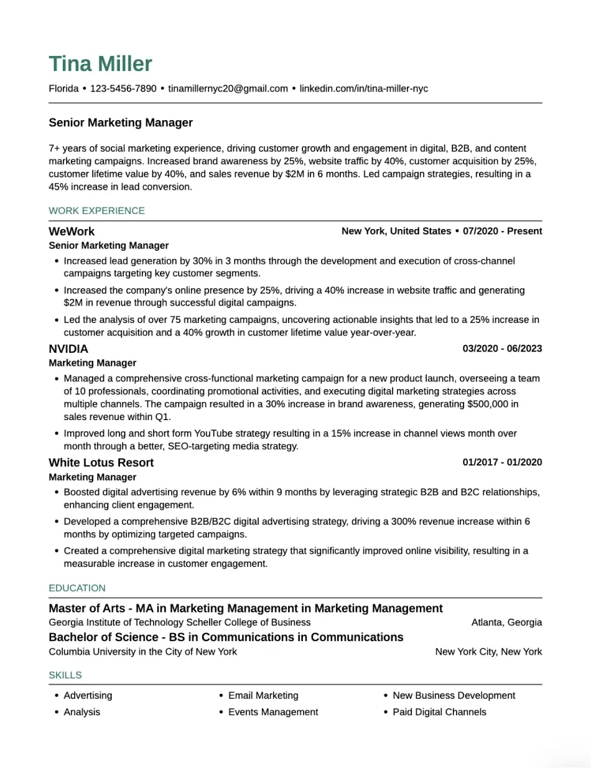
  1. Contact information
  2. Professional summary
  3. Work experience (reverse chronological order)
  4. Education
  5. Skills

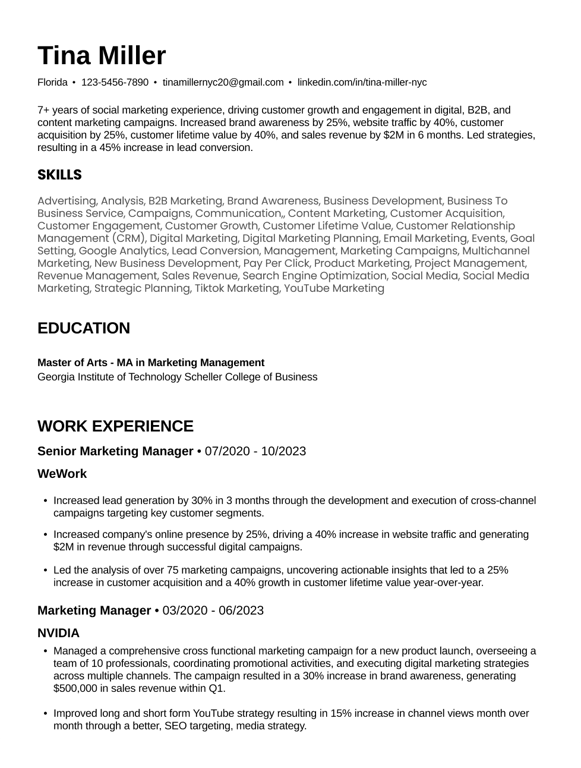
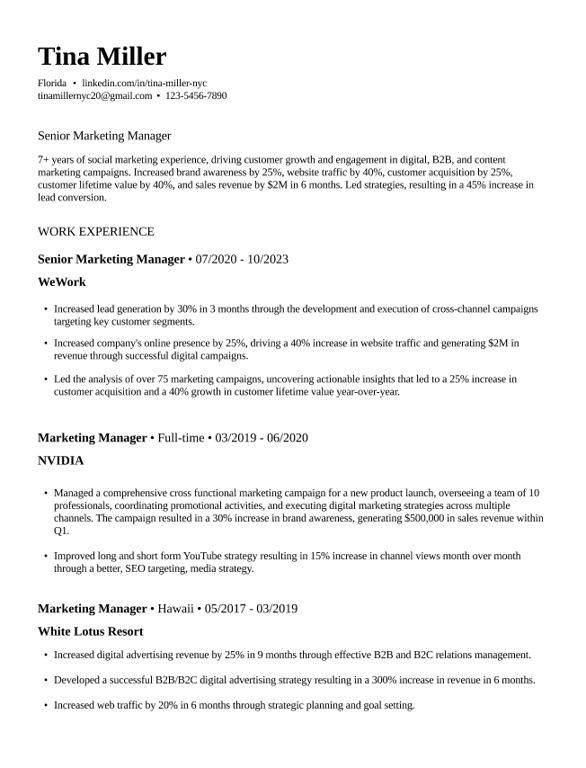
The chronological format clearly shows your career trajectory and how you've advanced. It's preferred by both employers and applicant tracking systems because it's easy to scan and parse.

Functional Resume Format

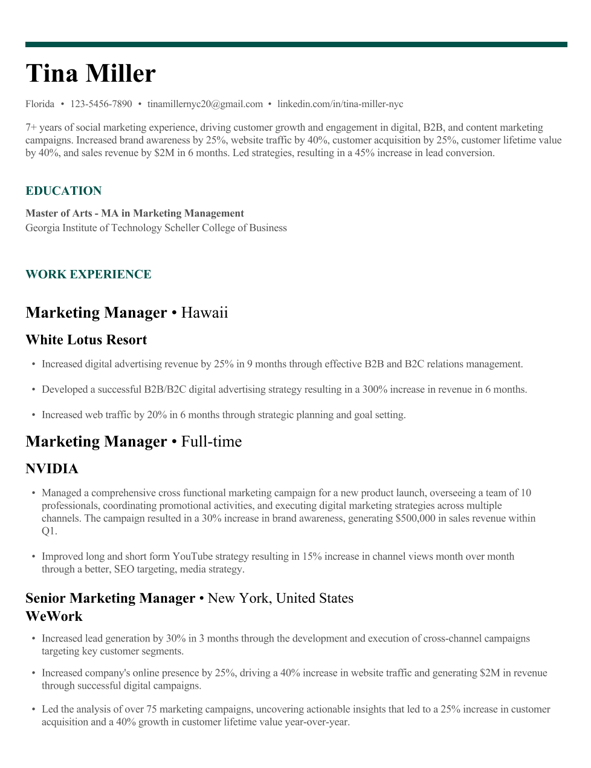
A functional resume is a skills-based format that highlights abilities and achievements rather than chronological work experience. Instead of listing jobs by date, it organizes your experience by skill categories.

Best for:

  • Career changers highlighting transferable skills
  • Those with employment gaps
  • Candidates whose job titles don't reflect their actual experience

Important caveat: According to Teal's functional resume guide, employers sometimes view functional resumes with skepticism because they can obscure chronological work history. Unless specifically requested, consider using a chronological or combination format instead.

Combination (Hybrid) Resume Format

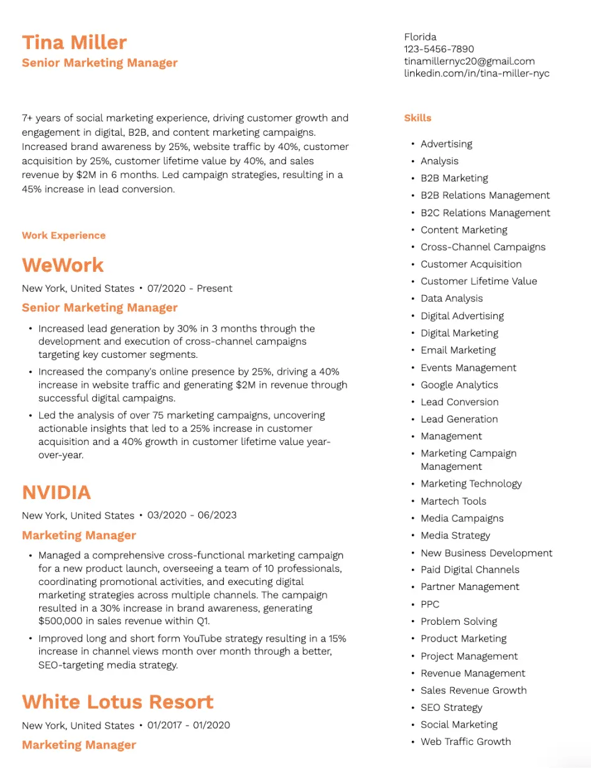
A combination resume blends the best parts of functional and chronological formats. It typically leads with a Skills or Achievements section after the professional summary, followed by a reverse-chronological list of jobs.

Best for:

  • Experienced professionals with specialized expertise
  • Career changers highlighting transferable abilities
  • Those with a strong mix of skills and steady career growth
  • Executive resumes that need to showcase both leadership skills and track record

The combination format offers flexibility, letting you emphasize both what you can do and where you've done it.

Which Resume Format Should You Choose?

Use this quick guide based on Teal's format comparison:

Your Situation Recommended Format
Steady career growth, same industry Chronological
10+ years of relevant experience Chronological
Career change with transferable skills Combination
Technical role with specific skill requirements Combination
Limited work experience Functional or Combination
Gaps in employment Combination

What is the Best Format for a Resume?

The best resume format depends on your specific situation, but for most job seekers, the chronological format is typically most effective since it clearly shows career progression and is preferred by both employers and ATS.

Best Format by Career Stage

Entry-level candidates: A combination or functional format can help highlight skills, education, and internships when you lack extensive work history. However, even entry-level resumes often work well in chronological format if you have relevant internships, volunteer work, or projects.

Mid-career professionals: Chronological format showcases your growth and achievements. Focus on the past 10-15 years of experience most relevant to your target role.

Senior executives: Chronological or combination format, potentially extending to two pages to capture significant leadership accomplishments and board experience.

Best Format by Industry

  • Corporate/Traditional industries (finance, law, healthcare): Chronological format with traditional resume templates
  • Technology/Startups: Chronological or combination, emphasizing skills and projects
  • Creative industries: More flexibility with format, but content still matters most
  • Government/Academia: Chronological format, often with detailed education section

When to Use Each Format

According to Teal's types of resumes guide, your resume format should match your experience level:

  • Functional: Highlights skills over job history—best for limited experience or career gaps
  • Combination: Balances both skills and experience—ideal for technical roles or non-linear paths
  • Chronological: Standard choice for steady career progression

Essential Resume Sections and How to Format Them

Every resume needs core sections that hiring managers expect to find. Here's how to format each one effectively.

Header and Contact Information

Your header should include:

  • Full name (larger font, 14-16pt)
  • Phone number
  • Professional email address
  • LinkedIn URL
  • City and state (full address no longer necessary)

Keep your contact information clean and easy to scan. Avoid headers or footers that ATS systems might not read properly.

Professional Summary vs. Objective Statement

The professional summary has replaced the objective statement for most job seekers. According to Teal's resume summary guide:

Professional Summary (recommended): A 3-5 line overview that leads with your years of experience, showcases relevant specializations, and quantifies your impact with concrete numbers.

Example: "Project Manager with 5+ years of experience leading cross-functional teams in tech and healthcare. Delivered 20+ projects on time and under budget, improving team efficiency by 30%."

Objective Statement: Only use this if you lack relevant experience and need to explain your career goals. Replace generic statements like "Seeking an entry-level position" with specific value propositions.

For help crafting your summary, Teal offers a free AI resume summary generator.

Work Experience Section

Your work experience section is the heart of your resume. It validates your claims with specific examples and demonstrates relevance to the role.

Format each position with:

  • Job title (bold)
  • Company name
  • Location (city, state)
  • Dates of employment
  • 3-5 bullet points highlighting achievements

Writing effective bullets:

  • Start with strong action verbs
  • Focus on outcomes and achievements, not just responsibilities
  • Quantify results whenever possible (percentages, dollar amounts, numbers)
  • Tailor bullets to match the job description

Instead of: "Responsible for managing social media accounts"
Write: "Managed 5 social media channels, growing follower base by 150% and increasing engagement rates by 45%"

Education Section

Your education section placement depends on your experience level:

  • Students and recent graduates: Position near the top, below summary
  • Experienced professionals: Place below work experience

Include:

  • Degree name
  • University name and location
  • Graduation date (or expected date)
  • Relevant honors, GPA (if 3.5+), or coursework (for recent grads)

For mid-career professionals, keep education brief. Your degree validates your foundation; your experience proves your capabilities.

Skills Section

Your skills section gives recruiters a quick snapshot of your proficiencies. Focus on 5-10 of your most relevant skills, grouped by category if helpful.

Best practices from Teal's skills guide:

  • Match skills to those mentioned in the job description
  • Include both hard skills (software, technical abilities) and relevant soft skills
  • Avoid generic skills like "Microsoft Word" unless specifically required
  • Don't include skill level ratings—they're subjective and unnecessary

Optional Sections (Certifications, Projects, Volunteer Work)

Add these sections when they strengthen your candidacy:

  • Certifications: List with certification name, issuing organization, and date
  • Projects: Especially valuable for entry-level candidates or career changers
  • Volunteer work: Shows leadership and community involvement
  • Publications/Speaking: For roles where thought leadership matters
  • Languages: Include proficiency level if relevant to the role

Resume Formatting Guidelines

The visual formatting of your resume affects both readability and ATS compatibility. Get these details right.

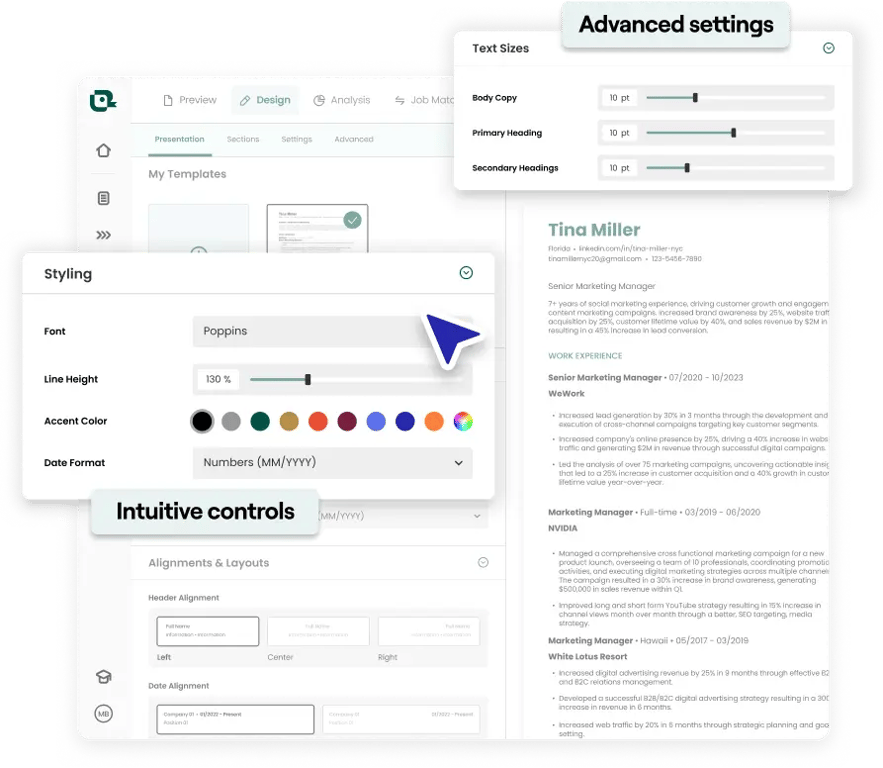
Best Fonts for Resumes

Choose professional fonts that are easily readable by both humans and ATS systems. According to Teal's formatting guidance:

Recommended fonts:

  • Arial
  • Calibri
  • Garamond
  • Helvetica
  • Times New Roman

Font sizes:

  • Name: 14-16pt
  • Section headings: 11-12pt
  • Body text: 10-11pt

Avoid decorative or script fonts that may not render properly in ATS systems.

Margins and Spacing

Proper resume margins create white space that makes your resume easier to read:

  • Standard margins: 1 inch on all sides
  • Minimum margins: 0.5 inches (if you need more space)
  • Line spacing: Single-spaced with extra space between sections

Don't reduce margins below 0.5 inches—it makes your resume look cluttered and may cause printing issues.

Resume Length: 1 Page vs. 2 Pages

The one-page rule is outdated. Here's what Teal recommends:

Experience Level Recommended Length
Entry-level/Students 1 page
Mid-career (5-10 years) 1-2 pages
Senior/Executive (10+ years) 2 pages

A well-organized two-page resume that clearly highlights your qualifications is more effective than a crammed one-pager that leaves key information out.

Important: A two-page resume is fully ATS-friendly. As long as your resume is clean and saved as .docx or .pdf, length is not a factor for ATS parsing.

Alignment and Consistency

Maintain uniform formatting throughout your resume:

  • Use the same font throughout
  • Format all dates the same way (Month Year or MM/YYYY)
  • Align bullet points consistently
  • Keep consistent spacing between sections

File Format: Word vs. PDF

  • PDF: Preserves formatting exactly; best for most applications
  • Word (.docx): Required by some ATS systems; use when specifically requested

Save your file with a professional name: FirstName-LastName-Resume.pdf

What Are the 5 Golden Rules of Resume Writing?

Based on Teal's resume best practices and resume tips, here are the five golden rules:

Rule 1: Tailor Your Resume to the Job

Customizing your resume for each job application is crucial. According to Teal's dos and don'ts guide, using the same resume for every job makes you appear unfocused and uninterested.

  • Review the job description for keywords and requirements
  • Mirror the language used in the posting
  • Highlight experiences that directly relate to the role
  • Adjust your summary to speak to the specific position

Rule 2: Use Action Verbs and Quantify Results

Start each bullet point with a strong action verb that describes your direct role in achievements:

  • Leadership: Led, Directed, Managed, Supervised, Mentored
  • Achievement: Achieved, Exceeded, Improved, Increased, Reduced
  • Creation: Developed, Created, Designed, Built, Launched
  • Analysis: Analyzed, Assessed, Evaluated, Identified, Researched

Whenever possible, add numbers: "Increased sales by 25%" is more compelling than "Improved sales performance."

Rule 3: Keep It Clean and Easy to Read

Recruiters scan resumes in seconds. Make it easy for them:

  • Use clear section headings
  • Include plenty of white space
  • Keep bullet points concise (1-2 lines each)
  • Avoid dense paragraphs of text

Rule 4: Prioritize Relevant Information

Your resume should show the top 10% of your experience that's relevant to this specific role. According to Teal's work experience guide, a past job deserves mention only if it's recent, relevant, and includes achievements that align with the job you're applying for.

Rule 5: Proofread Everything

Grammar mistakes reflect poorly on your attention to detail. Read through your resume multiple times, read it out loud, and ask someone else to review it.

What Are the 3 C's of a Resume?

The 3 C's provide a framework for evaluating your resume's effectiveness:

Clear: Make Your Resume Easy to Scan

Clarity means recruiters can find what they need instantly:

  • Use standard section headings (Work Experience, Education, Skills)
  • Present information in a logical order
  • Avoid jargon unless industry-standard
  • Use bullet points instead of paragraphs

Concise: Eliminate Unnecessary Words

Every word should earn its place on your resume:

  • Remove filler words ("very," "really," "various")
  • Avoid repeating information
  • Cut irrelevant experiences
  • Keep bullet points to 1-2 lines

According to Teal's guidance on what not to put on a resume, buzzwords like "hardworking," "detail-oriented," and "team player" don't show anything. Instead, use action-driven examples that prove your abilities.

Compelling: Highlight Your Achievements

Make hiring managers want to learn more:

  • Lead with your strongest qualifications
  • Quantify accomplishments with specific metrics
  • Focus on impact, not just responsibilities
  • Tell the story of your professional growth

What is the Classic Format of a Resume?

The classic resume format follows the traditional chronological structure that has been the standard for decades.

Traditional Chronological Structure

The classic chronological format presents information in a time-tested order:

  1. Header/Contact Information
  2. Professional Summary (or Objective for entry-level)
  3. Work Experience (reverse chronological)
  4. Education
  5. Skills
  6. Additional Sections (Certifications, Volunteer Work, etc.)

Standard Sections in Order

The classic format favors a linear layout with a clear chronological order and straightforward structure that guides the reader through your professional history without unconventional design elements.

Classic Formatting Conventions

Traditional formatting conventions include:

  • Conservative fonts (Times New Roman, Arial)
  • Black text on white background
  • Standard 1-inch margins
  • Minimal use of color or graphics
  • Clear section dividers

This format works particularly well for corporate, legal, financial, and government positions where tradition and professionalism are valued.

Resume Format by Experience Level

Your career stage should influence both your format choice and content emphasis.

Resume Format for Freshers and Entry-Level

When you're just starting out, you need to showcase potential beyond academic credentials.

Format recommendations:

  • Lead with Education if your degree is recent and relevant
  • Include internships, projects, and relevant coursework
  • Highlight transferable skills from part-time jobs, volunteer work, or extracurriculars
  • Keep to one page

According to Teal's entry-level guidance, the key is to focus on your skills, education, and relevant experiences—even if they didn't come from a traditional job.

Example fresher summary: "Detail-oriented Computer Science graduate with hands-on experience in Python development through three academic projects and one internship. Strong foundation in data structures and algorithms."

Resume Format for Mid-Career Professionals

With 5-15 years of experience, your work history tells the story:

  • Use chronological format
  • Lead with Professional Summary highlighting key achievements
  • Work Experience should dominate, with quantified accomplishments
  • Education moves below experience
  • May extend to two pages if warranted

Resume Format for Senior Executives

Executive resumes require showcasing leadership impact:

  • Two pages is acceptable and often expected
  • Include board memberships, speaking engagements, publications
  • Emphasize strategic achievements and organizational impact
  • Consider a combination format to highlight both expertise areas and experience
  • Summary should position you as a thought leader

Resume Format for Career Changers

When pivoting to a new field:

  • Consider combination format to emphasize transferable skills
  • Use your summary to explain the transition
  • Highlight experiences that relate to your target role
  • Include relevant training, certifications, or coursework
  • Focus on accomplishments that translate across industries

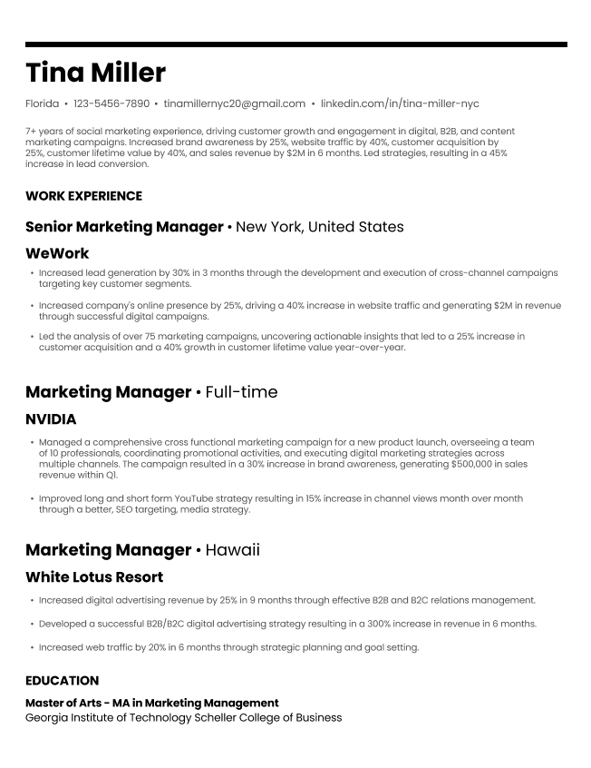
Simple Resume Format

Sometimes less is more. A simple format can be highly effective for many job seekers.

When a Simple Format Works Best

Simple resume templates are ideal when:

  • Applying to traditional industries (finance, law, government)
  • Submitting to ATS systems that may struggle with complex designs
  • You have strong experience that speaks for itself
  • The job doesn't require creative skills
  • You want a clean, professional look

Simple Resume Format in Word

Microsoft Word remains the standard for creating simple, ATS-friendly resumes. Teal's Word templates offer clean designs that are easy to edit and customize.

Simple format characteristics:

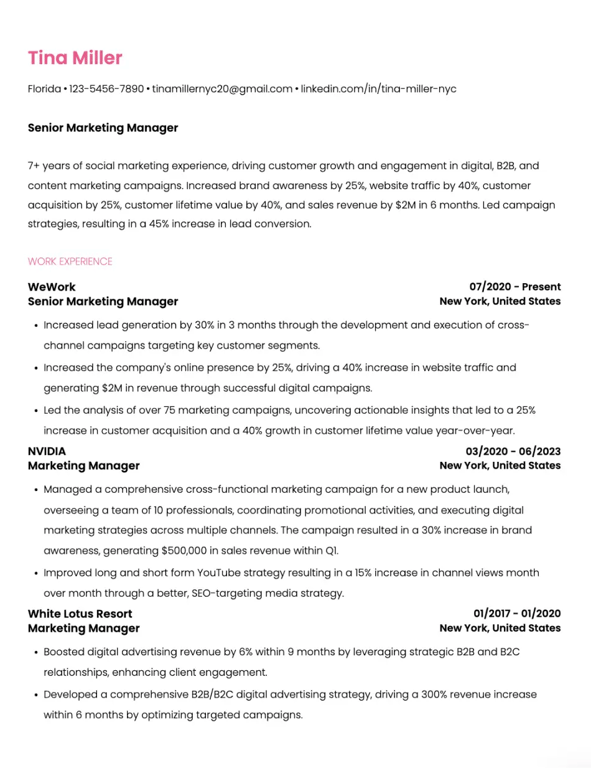
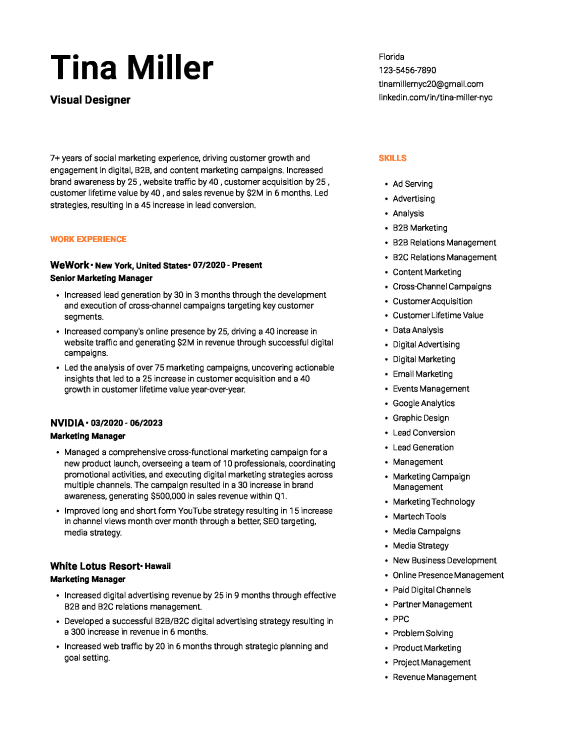
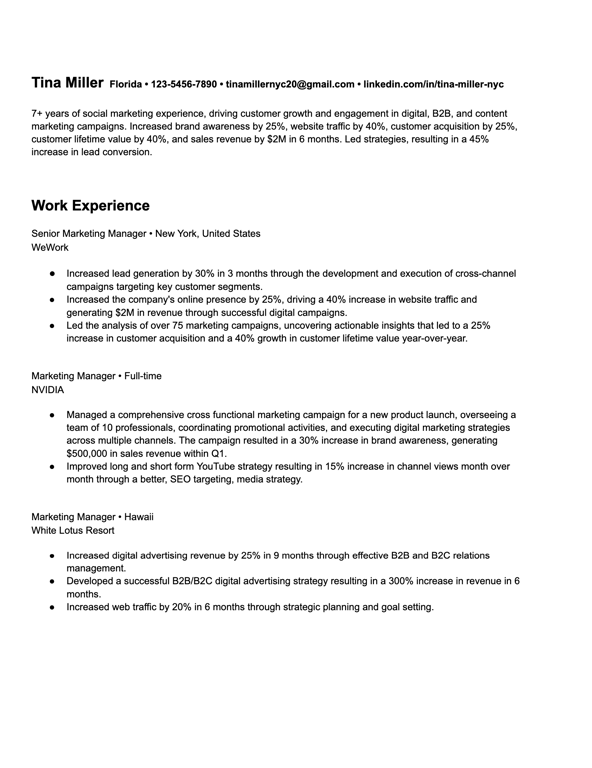
  • Single-column layout
  • Minimal colors (black text, maybe one accent color)
  • Standard fonts
  • Clear section headings
  • Plenty of white space

Simple Resume Format Examples

A simple format doesn't mean boring. It means purposefully clean:

  • No graphics or icons
  • No multiple columns
  • No headers/footers that ATS can't read
  • No tables or text boxes
  • Standard section order

Browse Teal's simple resume templates for examples that prioritize clarity and efficiency.

Resume Format for Job Applications

How you format your resume should consider both human readers and the technology that screens applications.

Tailoring Your Format to Job Descriptions

Review each job posting for clues about what to emphasize:

  • Mirror keywords from the job description
  • Order your skills section to match their priorities
  • Adjust your summary to speak to their specific needs
  • Highlight experiences most relevant to the role

As Teal's resume tips emphasize, your resume highlights the experiences that matter most to this employer—not everything you've ever done.

ATS-Friendly Resume Formatting

An ATS-friendly resume is easy for applicant tracking systems to scan and just as clear for humans to review.

ATS formatting rules:

  • Use standard section headings (Work Experience, not "Where I've Been")
  • Avoid tables, text boxes, columns, and graphics
  • Don't put important information in headers or footers
  • Save as .docx or .pdf (follow employer instructions)
  • Use standard fonts
  • Include keywords naturally throughout

According to Teal's ATS guide, recruiters search the ATS using specific terms from the job description. If your resume doesn't include the right keywords, it might never get seen.

Use Teal's free ATS resume checker to scan your resume for compatibility issues before submitting.

Common Formatting Mistakes That Get Resumes Rejected

Based on Teal's resume mistakes guide:

  1. Listing duties instead of achievements: Recruiters want to see impact, not job descriptions
  2. Using complex formatting: Tables, graphics, and unusual fonts confuse ATS systems
  3. Inconsistent formatting: Mismatched fonts, dates, or spacing looks unprofessional
  4. Including irrelevant information: Every item should support your candidacy
  5. Typos and grammatical errors: These signal lack of attention to detail
  6. Generic file names: Use "FirstName-LastName-Resume.pdf," not "resume_final_v3.docx"

Resume Templates by Style

Your template choice should reflect your industry, experience level, and personal brand while maintaining ATS compatibility.

Professional Resume Templates

Professional templates feature clean lines, conservative colors, and traditional layouts. Best for corporate, finance, legal, and healthcare roles.

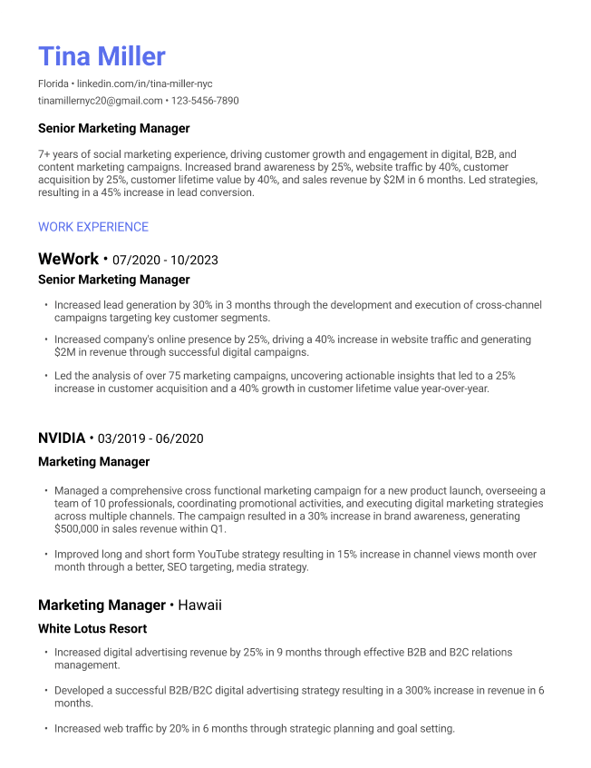
Modern Resume Templates

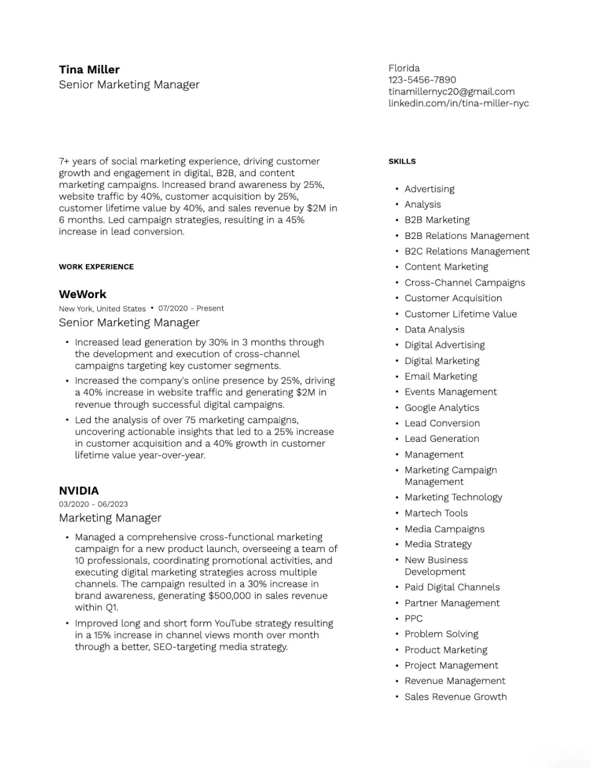
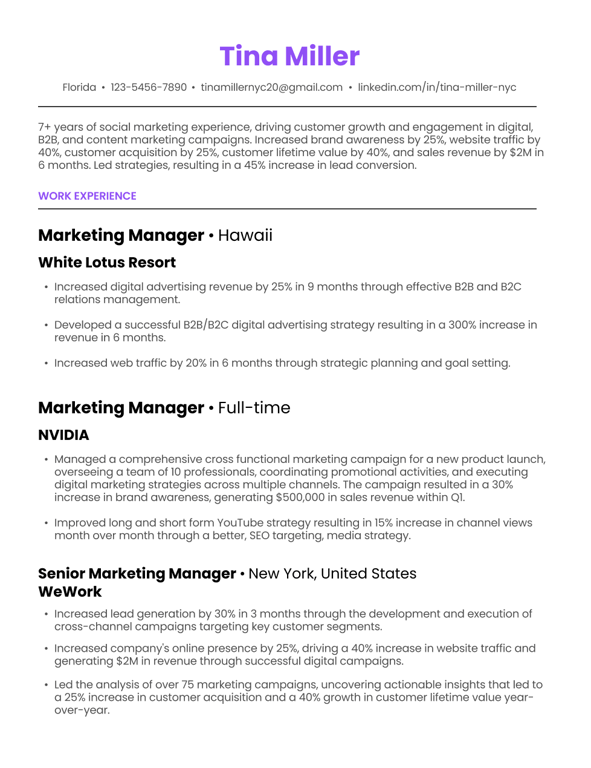
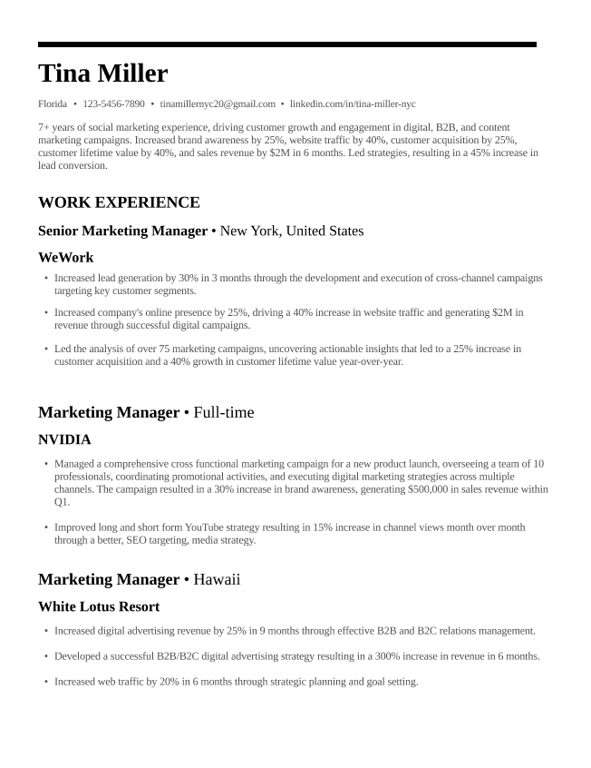
Modern resume templates use minimalist design that prioritizes clarity and readability. They may include subtle design elements while remaining ATS-friendly.

Creative Resume Templates

Creative templates offer more visual interest but should still prioritize content over design. Best for marketing, design, and creative roles where visual skills matter.

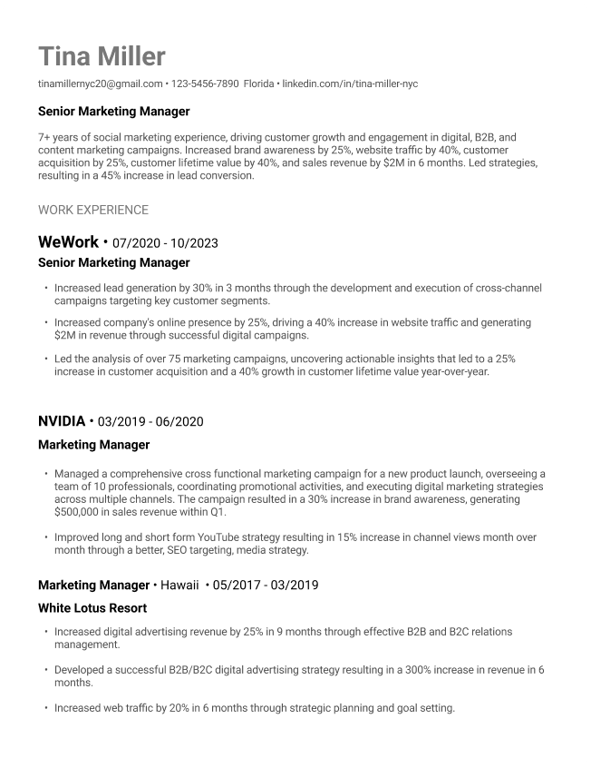
Minimalist Resume Templates

Minimalist designs strip away everything except the essentials. They're highly ATS-compatible and work well across industries.

Resume Template with Photo: When to Use One

In the United States, photos are generally discouraged to avoid unconscious bias. However, photos may be expected in some international markets or for public-facing roles.

Skip the photo for:

  • Most U.S. job applications
  • ATS submissions
  • Corporate roles

Consider a photo for:

  • Acting, modeling, or entertainment roles
  • International applications (research local norms)
  • Roles where personal branding matters

How to Download and Edit Resume Formats

Getting the right template is the first step. Here's how to work with resume formats effectively.

Resume Format Download (Free Templates)

Teal's 100+ free resume templates offer professional designs across multiple styles. Download in Word or PDF format and customize for your needs.

Resume Format Word Templates

Microsoft Word templates are widely compatible and easy to edit. They work well with ATS systems and can be saved in multiple formats.

Resume Format PDF: When to Use It

Save your final resume as PDF when:

  • The employer doesn't specify a format
  • You want to preserve exact formatting
  • Submitting via email or upload

Keep a Word version to make edits and for employers who specifically request .docx files.

How to Edit Resume Templates

  1. Download a template that matches your target industry
  2. Replace placeholder text with your information
  3. Adjust formatting to fit your content
  4. Maintain consistent styling throughout
  5. Save both Word and PDF versions

Teal's AI resume builder handles formatting automatically, letting you focus on content while ensuring ATS compatibility.

Resume Action Verbs by Category

Starting each bullet point with a strong action verb makes your achievements more impactful. Here are 250+ action verbs organized by category:

Action Verbs for Leadership and Management

Verb Example
Led Led a team of 12 engineers to deliver product launch 2 weeks ahead of schedule
Directed Directed $2M annual marketing budget across 5 channels
Managed Managed cross-functional team of 8, achieving 95% project completion rate
Supervised Supervised 25+ customer service representatives
Mentored Mentored 5 junior developers, with 3 promoted within 18 months
Coordinated Coordinated company-wide initiative spanning 4 departments

Action Verbs for Technical Roles

Verb Example
Developed Developed microservices architecture reducing system latency by 40%
Engineered Engineered automated testing framework covering 85% of codebase
Implemented Implemented CI/CD pipeline decreasing deployment time from hours to minutes
Optimized Optimized database queries, improving application performance by 60%
Architected Architected cloud migration strategy for 50+ enterprise applications
Debugged Debugged and resolved critical production issues, reducing downtime by 75%

Action Verbs for Sales and Marketing

Verb Example
Generated Generated $1.5M in new revenue through strategic account expansion
Closed Closed 45 enterprise deals in FY2025, exceeding quota by 130%
Launched Launched integrated marketing campaign reaching 2M+ impressions
Grew Grew social media following by 300% in 12 months
Negotiated Negotiated partnership agreements worth $500K annually
Converted Converted 25% more leads through optimized email sequences

Action Verbs for Creative Positions

Verb Example
Designed Designed brand identity system adopted across 50+ touchpoints
Created Created content strategy resulting in 200% increase in organic traffic
Produced Produced 40+ video assets generating 5M+ combined views
Conceptualized Conceptualized award-winning advertising campaign
Illustrated Illustrated graphics for product launch reaching 10M users
Crafted Crafted messaging framework adopted by global sales team

Using AI for Resume Formatting

AI tools can streamline resume creation and help you optimize for ATS systems.

AI Resume Builders and Formatters

Teal's AI resume builder handles structure and formatting so you can focus on content. It provides:

  • Professional templates with smart formatting
  • Real-time ATS scoring against job descriptions
  • Keyword optimization suggestions
  • Section-by-section guidance

The AI analyzes your resume 15+ ways, providing an advanced analysis and clear recommendations.

How to Use ChatGPT for Resume Writing

AI can help you:

  • Brainstorm bullet points and achievements
  • Improve phrasing and word choice
  • Generate summary variations
  • Identify gaps in your content

However, always review AI-generated content carefully. Generic AI output can hurt your application.

AI-Powered Resume Review Tools

Before submitting, use tools like Teal's resume checker to:

  • Check ATS compatibility
  • Identify weak bullet points
  • Find missing keywords
  • Catch formatting issues
  • Improve overall resume score

2-Page Resume Format

The two-page resume is not only acceptable but often recommended for experienced professionals.

When a 2-Page Resume is Appropriate

A two-page resume works well when:

  • You have 10+ years of relevant experience
  • You're applying for senior or executive roles
  • The position requires extensive technical credentials
  • You need space to show meaningful accomplishments

How to Format a 2-Page Resume

Page 1 priorities:

  • Contact information and summary
  • Most recent and relevant experience
  • Key achievements that match the job

Page 2 content:

  • Earlier career history
  • Education and certifications
  • Skills section
  • Additional relevant sections

Tips for two-page resumes:

  • Never leave page 2 with just a few lines—either fill it or cut to one page
  • Put your name and "Page 2" in the header of the second page
  • Ensure both pages have substantial content

2-Page Resume Template

Teal's resume templates automatically adjust for two-page formats while maintaining consistent styling across both pages.

Resume vs. CV Format

Understanding the difference helps you submit the right document.

Key Differences Between Resume and CV

Resume CV
1-2 pages 2+ pages (can be much longer)
Tailored to each job Comprehensive, less customized
Focus on relevant experience Full academic/professional history
Common in business/industry Common in academia/research
Used in US, Canada Standard in Europe, academia

When to Use a CV Instead of a Resume

Use a CV for:

  • Academic positions (professor, researcher)
  • Scientific or medical roles
  • International job applications (especially Europe)
  • Grants and fellowship applications
  • Positions specifically requesting a CV

Free CV Template Options

For academic and research positions, Teal's CV examples provide formats appropriate for different fields and career stages.

Frequently Asked Questions

What is the best format for a resume in 2026?

For most job seekers, the chronological format remains the best choice. It clearly shows career progression and is preferred by both employers and ATS systems. However, career changers may benefit from a combination format, and those with limited experience might consider a functional format.

What are the 5 golden rules of resume writing?

The five golden rules are: (1) Tailor your resume to each job, (2) Use action verbs and quantify achievements, (3) Keep formatting clean and scannable, (4) Prioritize relevant information, and (5) Proofread carefully. Following these resume best practices significantly improves your chances of landing interviews.

What are the 3 C's of a resume?

The 3 C's are Clear, Concise, and Compelling. Your resume should be clear (easy to scan with logical organization), concise (no unnecessary words or irrelevant information), and compelling (highlighting achievements that make employers want to learn more).

What is the classic format of a resume?

The classic format is the reverse-chronological structure: contact information at the top, followed by a professional summary, work experience (most recent first), education, and skills. This traditional format has remained standard because it's effective and familiar to hiring managers.

Should I use a 1-page or 2-page resume?

Base it on your experience level. Entry-level candidates should stick to one page. Mid-career professionals can use 1-2 pages depending on relevant experience. Senior executives with 10+ years often need two pages. The key is relevance—don't pad a one-pager or cram to avoid a second page.

What font and font size should I use on my resume?

Use professional fonts like Arial, Calibri, or Times New Roman. Body text should be 10-11pt, section headings 11-12pt, and your name 14-16pt. The most important thing is readability for both humans and ATS systems.

How do I make my resume ATS-friendly?

To create an ATS-friendly resume: use standard section headings, avoid tables and graphics, include keywords from the job description, save as .docx or .pdf, and use simple formatting. Test your resume with Teal's free ATS checker.

Should I include a photo on my resume?

In the United States, no. Photos can introduce unconscious bias and aren't expected. Some ATS systems also reject resumes with embedded images. Only include a photo if you're applying internationally where it's customary, or for specific roles like acting.

What file format should I save my resume in?

PDF preserves formatting and works for most applications. Keep a Word (.docx) version for employers who specifically request it. Name your file professionally: "FirstName-LastName-Resume.pdf" helps recruiters find your document.

How often should I update my resume format?

Update your resume whenever you have new achievements to add or when applying for a new position. Keep a master resume with all your experience, then customize it for each application. Review your format annually to ensure it follows current best practices.

Next Steps

Ready to create your resume? Here are resources to help:

  1. Choose a template: Browse 100+ free resume templates to find your style
  2. See examples: Review 2,000+ resume examples in your industry
  3. Build your resume: Use Teal's free AI resume builder for guided creation
  4. Check your work: Run your resume through the free ATS checker
  5. Get help with language: Use the resume grammar checker to catch errors

Your resume format sets the stage for your qualifications to shine. With the right structure and these best practices, you'll create a document that gets past ATS systems and into the hands of hiring managers.